

USB to RS232 / RS485 / RS422 / TTL / Serial / Ethernet Converters
With our high-quality, high-performance USB to RS232 / RS485 / RS422 / TTL serial and Ethernet converters that use only top-quality chipsets such as FTDI and Silicon Labs, USB signals are converted seamlessly into RS232, RS485, RS422, TTL, serial and Ethernet signals. Pick from our menu of industrial or commercial-grade devices confidently, knowing that you will get nothing but the best from CommFront.
SAFETY

WORLD-CLASS TESTING LABS
CommFront products are strictly certified by SGS and/or TUV - the Nationally Recognized Testing Laboratories [NRTLs] in North America (approved by OSHA) and the Notified Bodies in the European Union. Learn More
QUALITY

ISO 9001 STANDARDS
CommFront products are designed and manufactured to ISO 9001 standards. Our quality control system is strictly certified by SGS (Cert No. SG12/04213). Learn More
WARRANTY

100% SATISFACTION
CommFront products have been proven to be reliable. We back our high-quality products with a 5-year replacement warranty and a 30-day risk-free money-back guarantee. Learn More
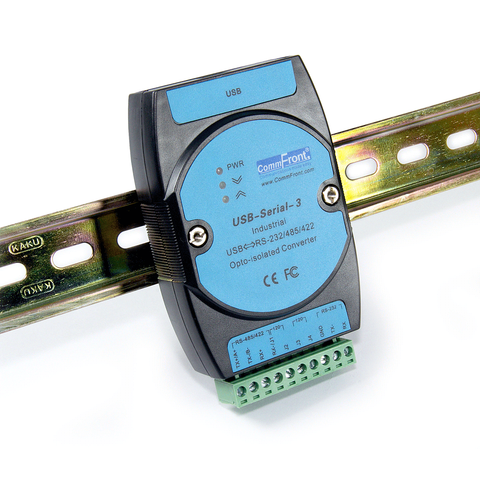
Opto-Isolated USB to RS232 / RS485 / RS422 Converter (Industrial / Port-Powered)
- Rugged industrial-grade opto-isolated USB to RS232 / RS485 / RS422 converter.
- Adds one RS-232, RS-485 or RS-422 port to your USB port.
- USB port-powered, no external power required.
- Industrial grade enclosed in a rugged, rustless ABS housing.
- Supports multi-drop RS485 / RS422 networks (up to 128 nodes).
- 2500V optical isolation.
- 300 to 115.2K Baud operation (auto-sensing and self-adjusting).
- Direct DIN-Rail (Rack) or Wall / Panel mounting (stackable).
- Plug and play (hot-pluggable, data format auto-sensing and self-adjusting).
- Data direction auto-turnaround, no flow control is required.
- Built-in 120Ω end-of-line terminator for system reliability and easy installation.
- Supports Windows 11 / 10 / 8 / 7 / Vista / XP / Server2003 / 2000 (32-bit), Windows 11 / 10 / 8 / 7 / Vista (64-bit), Win CE, Mac, and Linux.
- Operating temperature: -40ºF to 185ºF (-40ºC to 85ºC).
- Built-in 600W surge protection, 15kV static protection and circuit protection.
- Surface Mount Technology manufactured to RoHS and ISO-9001 standards.
- Safety: Strictly certified by TUV (Cert No. SG-CE-100004; SG-FCC-100001).
- 5-year manufacturer's warranty.
In Stock
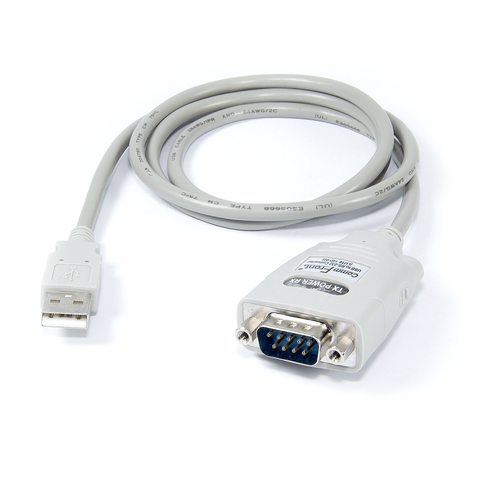
USB to RS232 Adapter / Converter
- USB to RS232 adapter / converter.
- Adds one RS-232 port to your USB port.
- 300 to 128K Baud operation (auto-sensing and self-adjusting).
- RS-232 data & signals: TX, RX, RTS, CTS, DTR, DSR, DCD, RI, and GND.
- Supports Windows 11 / 10 / 8 / 7 / Vista / XP / Server2008 / Server2003 / 2000 / 98 (32-bit), Windows 11 / 10 / 8 / 7 / Vista / XP / Server2008 / Server2003 (64-bit), Win CE, Mac, Linux, and Raspberry Pi.
- Supports remote wakeup and power management.
- Port-powered, no external power required.
- Plug and play (hot-pluggable, data format auto-sensing & self-adjusting).
- No IRQs required, no IRQ conflicts.
- Surface Mount Technology manufactured to RoHS and ISO-9001 standards.
- Safety: Strictly certified by SGS (Cert No. EM/2008/20060C; EM/2008/20061C).
- 5-year manufacturer's warranty.
In Stock
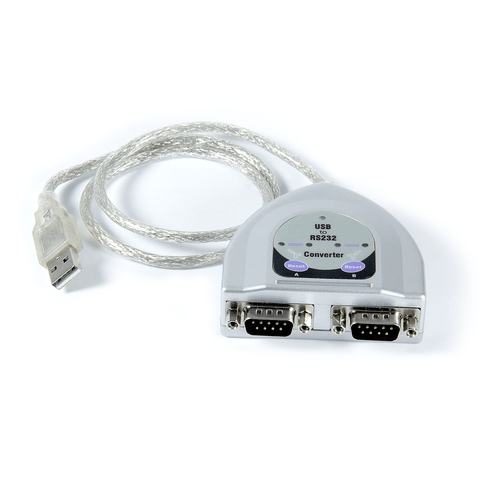
USB to Dual RS232 Adapter / Converter
- USB to dual RS232 adapter / converter.
- Adds two RS-232 ports to your USB port.
- 300 to 128K Baud operation (auto-sensing and self-adjusting).
- RS-232 data & signals: TX, RX, RTS, CTS, DTR, DSR, DCD, RI, and GND.
- Supports Windows 11 / 10 / 8 / 7 / Vista / XP / Server2008 / Server2003 / 2000 / 98 (32-bit), Windows 11 / 10 / 8 / 7 / Vista / XP / Server2008 / Server2003 (64-bit), Win CE, Mac, Linux, and Raspberry Pi.
- Supports remote wake-up and power management.
- Plug and play (hot-pluggable, data format auto-sensing and self-adjusting).
- Port-powered, no external power required.
- No IRQs required, no IRQ conflicts.
- Surface Mount Technology manufactured to RoHS and ISO-9001 standards.
- Safety: Strictly certified by SGS (Cert No. EM/2008/20062C, EM/2008/20063C).
- 5-year manufacturer's warranty.
In Stock
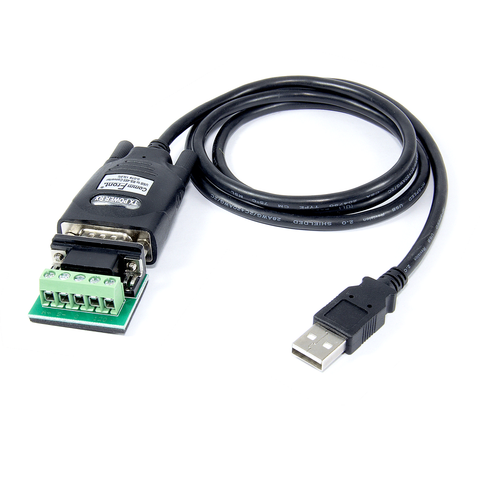
USB to 2-Wire RS485 Adapter / Converter
- USB to 2-wire RS485 adapter / converter.
- Adds one RS-485 port to your USB port.
- Communicate with one loop of up to 256 units of RS485 devices.
- 300 to 3M Baud operation (auto-sensing and self-adjusting).
- Built-in selectable 120Ω end-of-line terminator for system reliability and easy installation.
- Built-in 15kV ESD static and circuit protection.
- Data direction auto-turnaround, no flow control is required.
- Supports Windows 11 / 10 / 8 / 7 / Vista / XP / Server2008 / Server2003 / 2000 / 98 (32-bit), Windows 11 / 10 / 8 / 7 / Vista / XP / Server2008 / Server2003 (64-bit), Win CE, Mac, Linux, and Raspberry Pi.
- Supports remote wakeup and power management.
- Plug and play (hot-pluggable, data format auto-sensing and self-adjusting).
- Port-powered, no external power required.
- No IRQs required, no IRQ conflicts.
- Surface Mount Technology manufactured to RoHS and ISO-9001 standards.
- Safety: Strictly certified by world-class lab SGS / TUV (Cert No. E1/2013/90010C; E1/2013/90011C).
- 5-year manufacturer's warranty.
In Stock
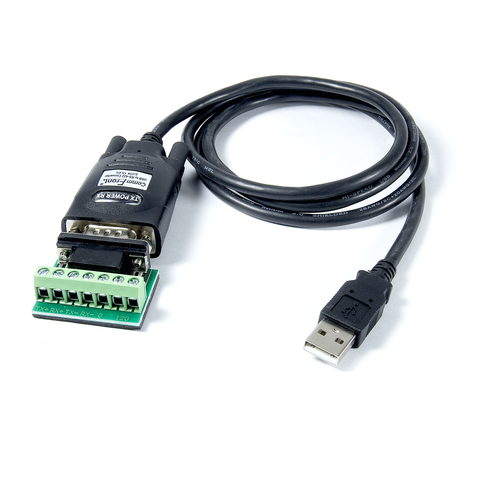
USB to 4-Wire RS422 / RS485 Adapter / Converter
- USB to RS422/RS485 adapter / converter.
- Adds one 4-wire RS-422 / RS-485 port to your USB port.
- 300 to 3M Baud operation (auto-sensing and self-adjusting).
- Communicate with one loop of up to 256 units of RS422 / RS485 devices.
- Built-in selectable 120Ω end-of-line terminator for system reliability and easy installation.
- Built-in 15kV ESD static and circuit protection.
- The full-duplex USB to full-duplex RS-422 / RS-485 communications requires no data direction auto-turnaround and flow control.
- Supports Windows 11 / 10 / 8 / 7 / Vista / XP / Server2008 / Server2003 / 2000 / 98 (32-bit), Windows 11 / 10 / 8 / 7 / Vista / XP / Server2008 / Server2003 (64-bit), Win CE, Mac, Linux, and Raspberry Pi.
- Supports remote wakeup and power management.
- Plug and play (hot-pluggable, data format auto-sensing and self-adjusting).
- Port-powered, no external power required.
- No IRQs required, no IRQ conflicts.
- Surface Mount Technology manufactured to RoHS and ISO-9001 standards.
- Safety: Strictly certified by world-class lab SGS / TUV (Cert No. E1/2013/90006C; E1/2013/90007C).
- 5-year manufacturer's warranty.
In Stock
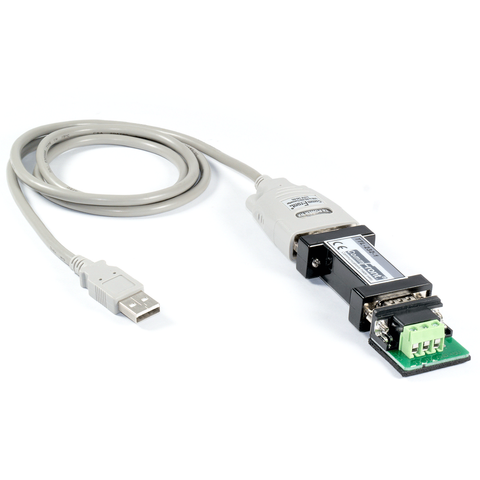
USB to TTL Converter
- USB to TTL converter.
- Adds one TTL port to your USB port.
- 300 to 115.2K Baud operation (auto-sensing and self-adjusting).
- Supports Windows 11 / 10 / 8 / 7 / Vista / XP / Server2008 / Server2003 / 2000 / 98 (32-bit), Windows 11 / 10 / 8 / 7 / Vista / XP / Server2008 / Server2003 (64-bit), Win CE, Mac, Linux, and Raspberry Pi.
- Supports remote wakeup and power management.
- Plug and play (hot-pluggable, data format auto-sensing and self-adjusting).
- Port-powered, no external power required.
- No IRQs required, no IRQ conflicts.
- Surface Mount Technology manufactured to RoHS and ISO-9001 standards.
- CE, FCC, RoHS, and REACH certified.
- 5-year manufacturer's warranty.
In Stock
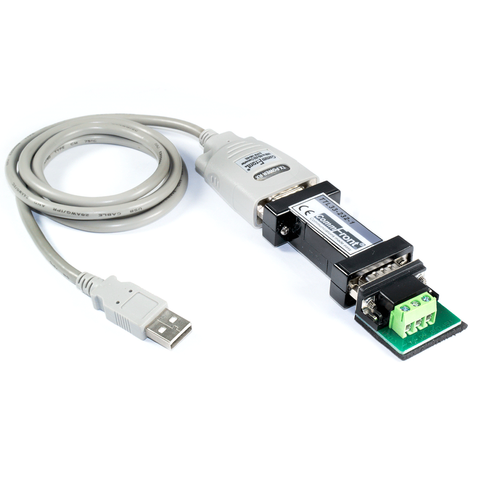
USB to TTL 3.3V Converter
- USB to TTL 3.3V converter.
- Adds one TTL 3.3v port to your USB port.
- 300 to 115.2K Baud operation (auto-sensing and self-adjusting).
- Supports Windows 11 / 10 / 8 / 7 / Vista / XP / Server2008 / Server2003 / 2000 / 98 (32-bit), Windows 11 / 10 / 8 / 7 / Vista / XP / Server2008 / Server2003 (64-bit), Win CE, Mac, Linux, and Raspberry Pi.
- Supports remote wakeup and power management.
- Plug and play (hot-pluggable, data format auto-sensing and self-adjusting).
- Port-powered, no external power required.
- No IRQs required, no IRQ conflicts.
- Surface Mount Technology manufactured to RoHS and ISO-9001 standards.
- CE, FCC, RoHS, and REACH certified.
- 5-year manufacturer's warranty.
In Stock
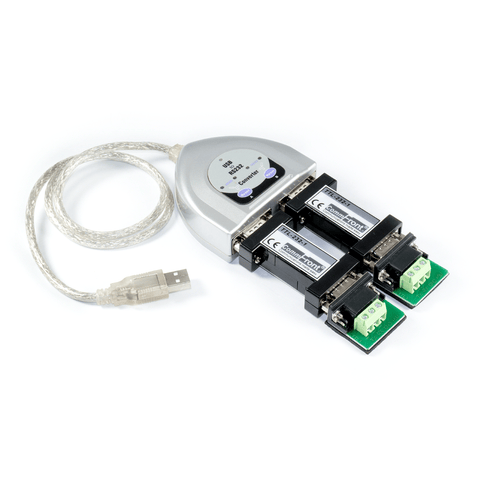
USB to Dual TTL Converter
- USB to dual TTL converter.
- Adds two TTL ports to your USB port.
- 300 to 115.2K Baud operation (auto-sensing and self-adjusting).
- Supports Windows 11 / 10 / 8 / 7 / Vista / XP / Server2008 / Server2003 / 2000 / 98 (32-bit), Windows 11 / 10 / 8 / 7 / Vista / XP / Server2008 / Server2003 (64-bit), Win CE, Mac, Linux, and Raspberry Pi.
- Supports remote wakeup and power management.
- Plug and play (hot-pluggable, data format auto-sensing and self-adjusting).
- Port-powered, no external power required.
- No IRQs required, no IRQ conflicts.
- Surface Mount Technology manufactured to RoHS and ISO-9001 standards.
- CE, FCC, RoHS, and REACH certified.
- 5-year manufacturer's warranty.
In Stock
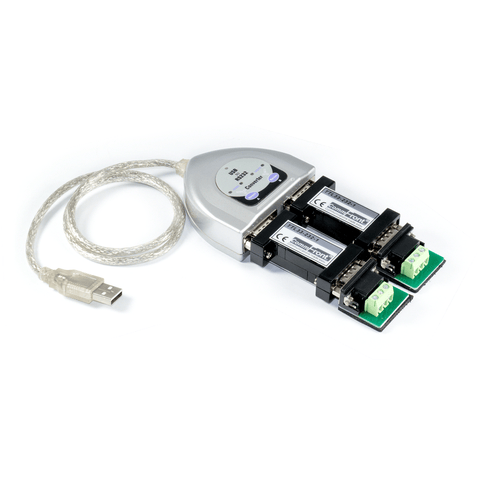
USB to Dual TTL 3.3V Converter
- USB to dual TTL 3.3V converter.
- Adds two TTL 3.3v ports to your USB port.
- 300 to 115.2K Baud operation (auto-sensing and self-adjusting).
- Supports Windows 11 / 10 / 8 / 7 / Vista / XP / Server2008 / Server2003 / 2000 / 98 (32-bit), Windows 11 / 10 / 8 / 7 / Vista / XP / Server2008 / Server2003 (64-bit), Win CE, Mac, Linux, and Raspberry Pi.
- Supports remote wakeup and power management.
- Plug and play (hot-pluggable, data format auto-sensing and self-adjusting).
- Port-powered, no external power required.
- No IRQs required, no IRQ conflicts.
- Surface Mount Technology manufactured to RoHS and ISO-9001 standards.
- CE, FCC, RoHS, and REACH certified.
- 5-year manufacturer's warranty.
In Stock
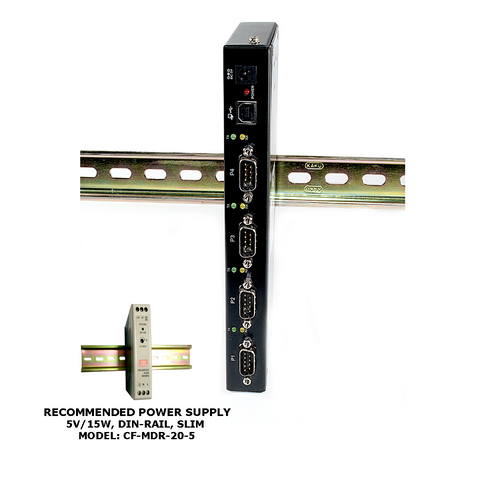
USB to RS232 Hub (4-Port / Industrial)
- Rugged industrial-grade USB to 4-port RS232 hub enclosed in a steel housing.
- Expands one USB 2.0 port into four RS-232 ports.
- Plug and play (hot-pluggable).
- DIN-Rail or wall / panel mounting.
- USB bus powered, no external power required.
- External 5VDC power adapter included (for low-power-capacity USB ports).
- USB 2.0 High Speed (480Mbps) and Full Speed (12Mbps) compatible.
- Supports serial data rates up to 12Mbps.
- Supports Windows 11 / 10 / 8 / 7 / Vista / XP / Server2012 / Server2008 (64-bit), Windows 11 / 10 / 8 / 7 / Vista / XP (32-bit), and Win CE, Mac, and Linux.
- No extra I/O and IRQ required.
- 2K-byte FIFO and hardware/software flow control support.
- Operating temperature: -40ºF to 167ºF (-40ºC to 75ºC).
- Built-in 15kV ESD protection.
- Surface Mount Technology manufactured to RoHS and ISO-9001 standards.
- Safety: Strictly certified by TUV (Report no. 10051567001; 10051568001).
- 5-year manufacturer’s warranty.
In Stock
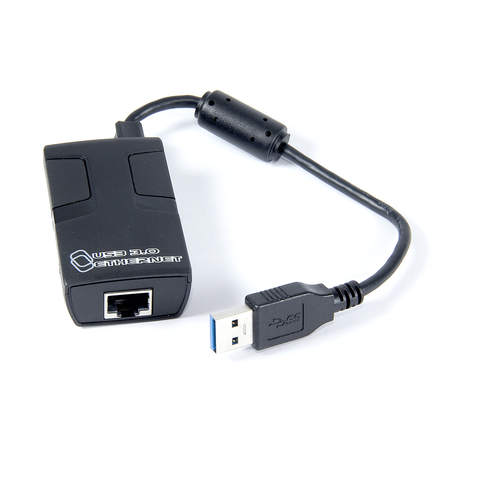
USB 3.0 to Gigabit Ethernet Converter
- USB 3.0 to Gigabit Ethernet converter.
- Backward compatible with USB 1.1 and USB 2.0.
- Supports USB Super / High / Full / Low Speed modes with bus power.
- Complies with the Energy-Efficient Ethernet standard (IEEE 802.3az).
- Supports dynamic cable length detection and dynamic power adjustment Green Ethernet (Gigabit mode only).
- Complies with IEEE 802.3, 802.3u, and 802.3ab standards.
- Supports full duplex operation with IEEE 802.3x flow control.
- Supports IPv4 / IPv6 packet Checksum Offload Engine (COE) to reduce CPU loading.
- Supports suspend mode and remote wakeup.
- Supports Windows 10 / 8 / 7 / Vista / XP / 2000, WinCE / Mobile, Linux, and Mac OS v10.6 or later.
- Surface Mount Technology manufactured to RoHS and ISO-9001 standards.
- Safety: Strictly certified by SGS (Cert no. EM/2014/C0046C; EM/2014/C0047C).
- 5-year manufacturer's warranty.
In Stock